
Onward for Nonprofits
Fundraiser Pages for Nonprofits
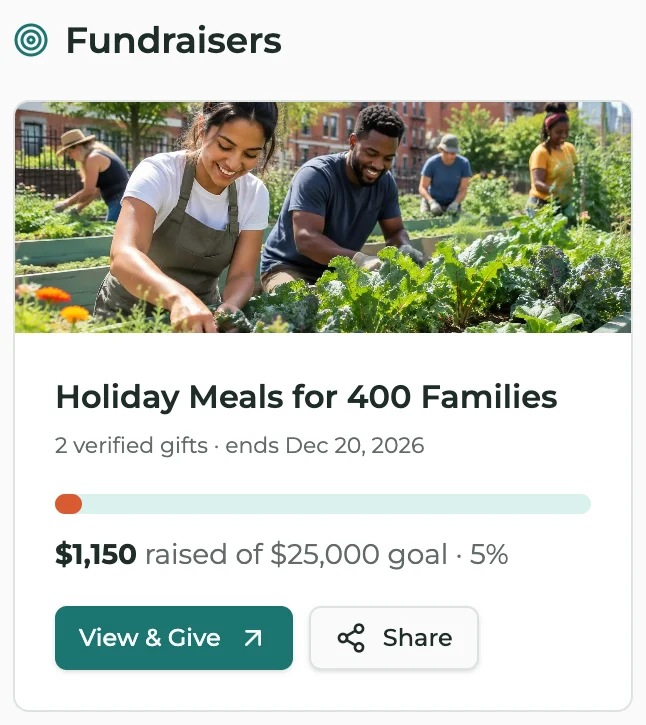
Onward gives nonprofits a fundraiser page with a goal, a progress bar and a donor roll, run by the nonprofit or by a supporter on its behalf, while every gift goes straight to the nonprofit through its own donate link.
What You Can Do
- Set a goal, a story, a photo and an end date
- Show progress as gifts are confirmed, with an optional donor roll
- Let a supporter, board member or business run a fundraiser for you, once you approve it
- Add a business match to double gifts up to a set amount
- Share a ready-made image and link, or embed the fundraiser on your website
- Every new gift shows on the donor roll and in the Hub, because people give when they see others give
- Every confirmed gift adds to your page's running total, so your page stays a living impact report all year
How It Works
- 1Create your nonprofit's page on Onward and start a fundraiser.
- 2Point the donate button to the donation page you already use.
- 3Share it, and confirm gifts as they come in (or bring them in from your donation tool).
Questions
Does Onward take a cut of donations?+
No. Gifts go directly to you through your own donate link, and Onward never touches the money.
Can a supporter fundraise for us?+
Yes. Anyone can start one for your nonprofit, and it goes live only after you approve it.
Can donors stay anonymous?+
Yes. Each donor chooses whether their name and amount show.
Do we have to switch donation tools?+
No. Keep Givebutter, Donorbox, PayPal or whatever you use now.
Give your supporters the spotlight.
Create your nonprofit's page free. Everything on Onward today is free, and it stays free.